Leading a data-driven usability audit of campus HVAC software that secured stakeholder buy-in to overhaul critical safety alarms and information hierarchy, transforming user complaints into an actionable vendor roadmap.
Usability Testing
Overview
Client: Olin College
Industry: Enterprise HVAC Software
Timeline: 5 weeks (November - December 2024)
My Role: User Researcher
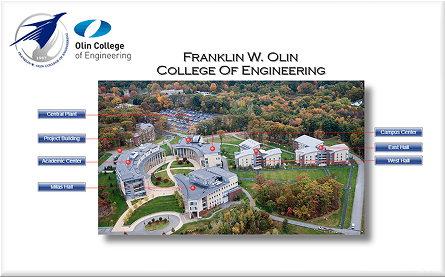
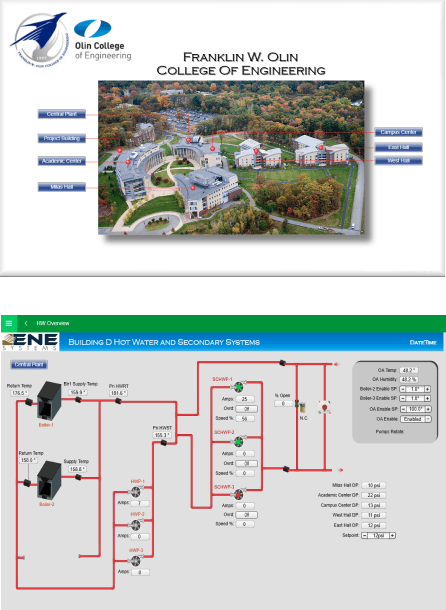
Olin College relies on a third-party enterprise software solution to manage campus heating and cooling systems. While outsourcing reduces infrastructure maintenance, it creates a dependency on external vendors for user experience (UX) and feature sets. Following a series of complaints regarding system usability, our team was tasked with investigating the root causes of user frustration.
The Goal: Diagnose underlying usability issues and provide actionable, data-backed recommendations to improve the user experience.
The Challenge: We could not directly alter the code. We had to influence an external vendor and internal stakeholders to prioritize changes based on evidence rather than opinion.
Skills
Core Methodologies
Card Sorting & Information Architecture
Think-Aloud Protocols
Unmoderated Usability Testing
Stakeholder Management
Design & Prototyping
Heuristic Analysis
Wireframing (Recommendations)
User Journey Mapping
Data Visualization
Domain Knowledge
Enterprise Software (SaaS)
Systems Engineering
Vendor Relationship Management
Results
We transformed vague user complaints into a prioritized product roadmap for the software vendor.
Data-Driven Buy-In: Initially, internal system managers were hesitant to request changes due to resource constraints. However, by presenting quantitative error rates and qualitative frustration points, we secured their buy-in and triggered a high-level review meeting with the software provider.
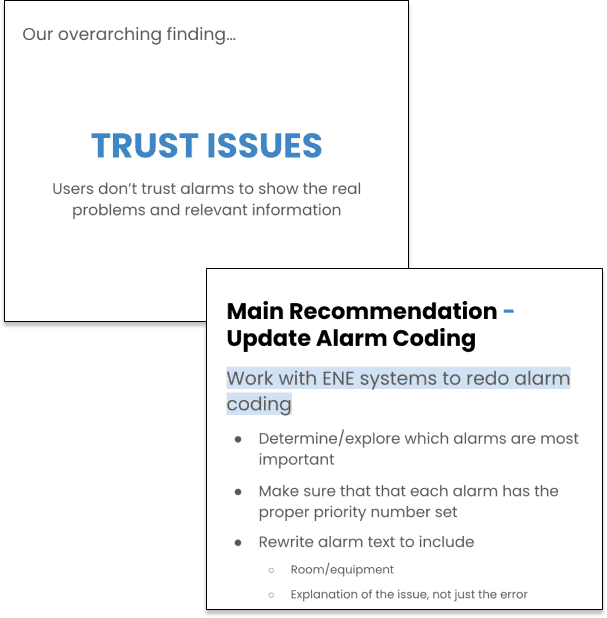
Strategic Recommendations: We delivered a redesign proposal focusing on two high-impact areas:
Alarm Coding: Overhauling how urgent errors are flagged to reduce response time.
Information Hierarchy: Restructuring the dashboard to surface critical data immediately, eliminating the need to sift through irrelevant pages.
The Process
We employed a mixed-method research approach to move beyond anecdotal evidence and identify the "Why" behind the "What."
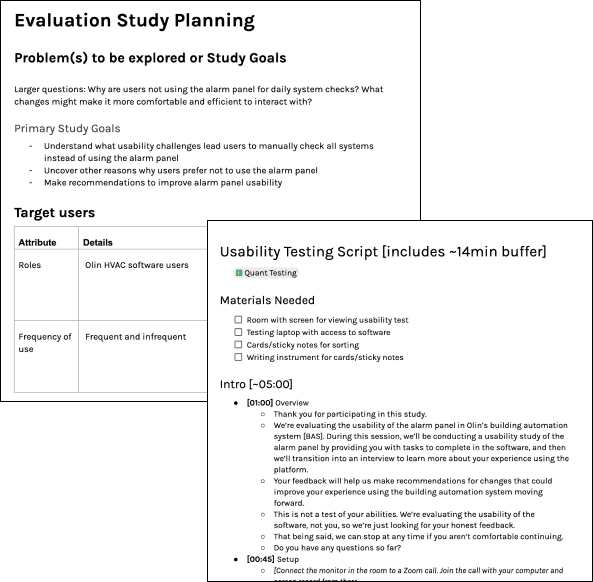
1. Comprehensive Usability Testing We utilized a combination of qualitative and quantitative methods to map the current user journey:
Card Sorting: To understand how users mentally categorized system functions vs. how the system was actually organized.
Think-Aloud Protocols & Guided Tasks: To observe real-time friction points as users attempted to locate critical errors.
Unmoderated Testing & Surveys: To gather broader metrics on user satisfaction.
2. Diagnosis & Analysis The research uncovered that the core issue was a trust gap.
Information Overload: Critical errors were buried inside pages of dense data, causing users to miss urgent alerts.
Inconsistency: Visual inconsistencies across the interface made the system feel unstable, leading users to second-guess the data presented.
3. Synthesis & Recommendation We structured our findings into a "Severity vs. Effort" matrix. We recommended prioritizing the Alarm Hierarchy immediately, as this was a safety/maintenance critical path, while suggesting a longer-term overhaul for general navigation.
Opportunities for Improvement & Expansion
Reflecting on the project, I see several areas to strengthen the business case and product lifecycle management:
Defining Success Metrics: I would establish clear KPIs to measure the success of the implemented changes, such as "Time to Identify Critical Alarm" or "System Navigation Error Rate." This would quantify the ROI of the UX improvements for the vendor.
Role-Based Views: I would explore creating distinct dashboard views for different user personas (e.g., a "Quick View" for on-the-ground technicians vs. a "Data View" for facilities managers) to further reduce cognitive load.
Vendor Feedback Loop: To prevent future debt, I would formalize a recurring feedback loop between the college’s users and the vendor’s product team, ensuring the software evolves alongside Olin’s specific infrastructure needs.